
Download UpdateStar AppCleaner – Free Windows Tool, Disk Space Management, Registry Cleaner, System Optimization
Overview
UpdateStar AppCleaner is a free Windows application designed to assist users in maintaining optimal system performance by managing disk space and cleaning up unnecessary system files. Its primary purpose is to free up storage capacity and improve overall system stability by targeting temporary files, invalid registry entries, and unused or problematic system programs. The app is particularly useful for users who experience slowdowns due to cluttered hard drives or registry bloat, offering a streamlined solution to common PC maintenance challenges.
Target users include general consumers, home office users, and individuals seeking to extend the lifespan of their devices without upgrading hardware. The application addresses real-world issues such as slow boot times, limited storage space, and system instability caused by outdated or redundant software. By automating cleanup tasks, UpdateStar AppCleaner reduces the technical burden on users who may lack advanced knowledge of system maintenance.
Although the developer did not provide additional background information, the app has been available since 2013, indicating a long-standing presence in the system optimization space. Its continued relevance suggests a reliable foundation in functionality and user trust. In the broader app ecosystem, it fills a niche for lightweight, no-frills maintenance tools that operate without requiring extensive setup or subscriptions.
Key Features & Functionality
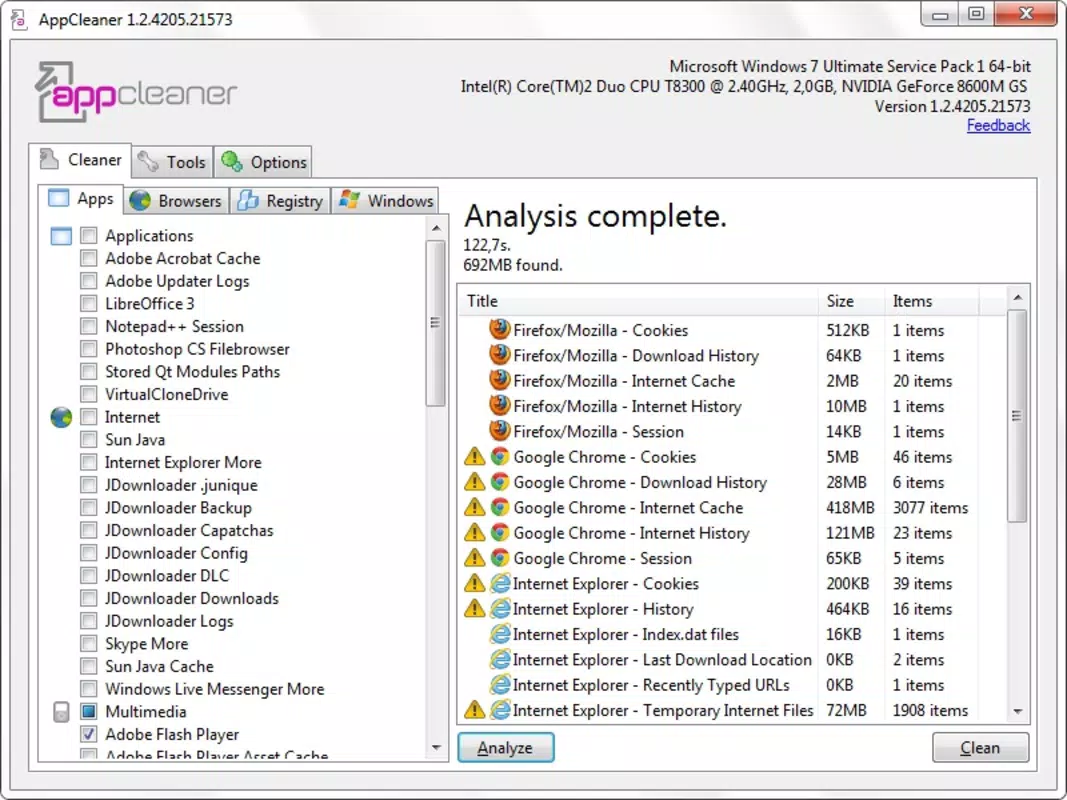
- Disk Space Management: Identifies and removes temporary files that accumulate during regular system use, such as cache data, logs, and browser cookies. This helps reclaim valuable disk space, especially on systems with limited storage.
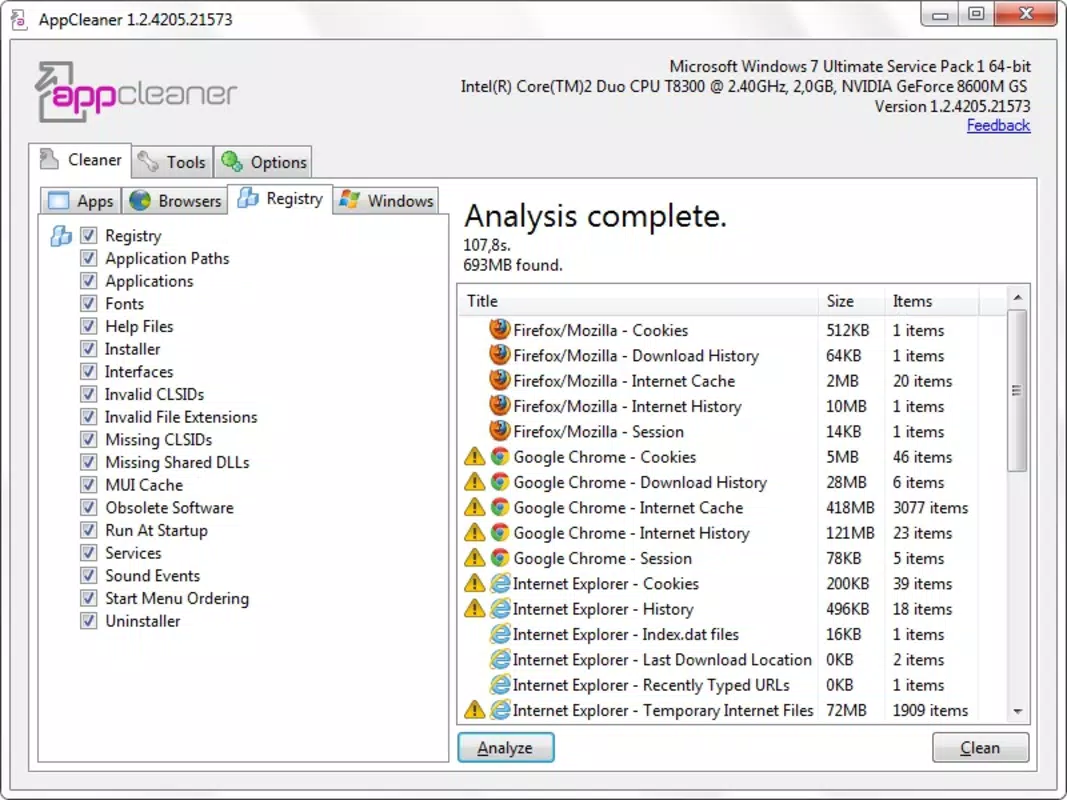
- Registry Cleaner: Scans the Windows registry for invalid, obsolete, or orphaned entries. Removing these entries can reduce system overhead and minimize the risk of crashes or errors caused by corrupted references.
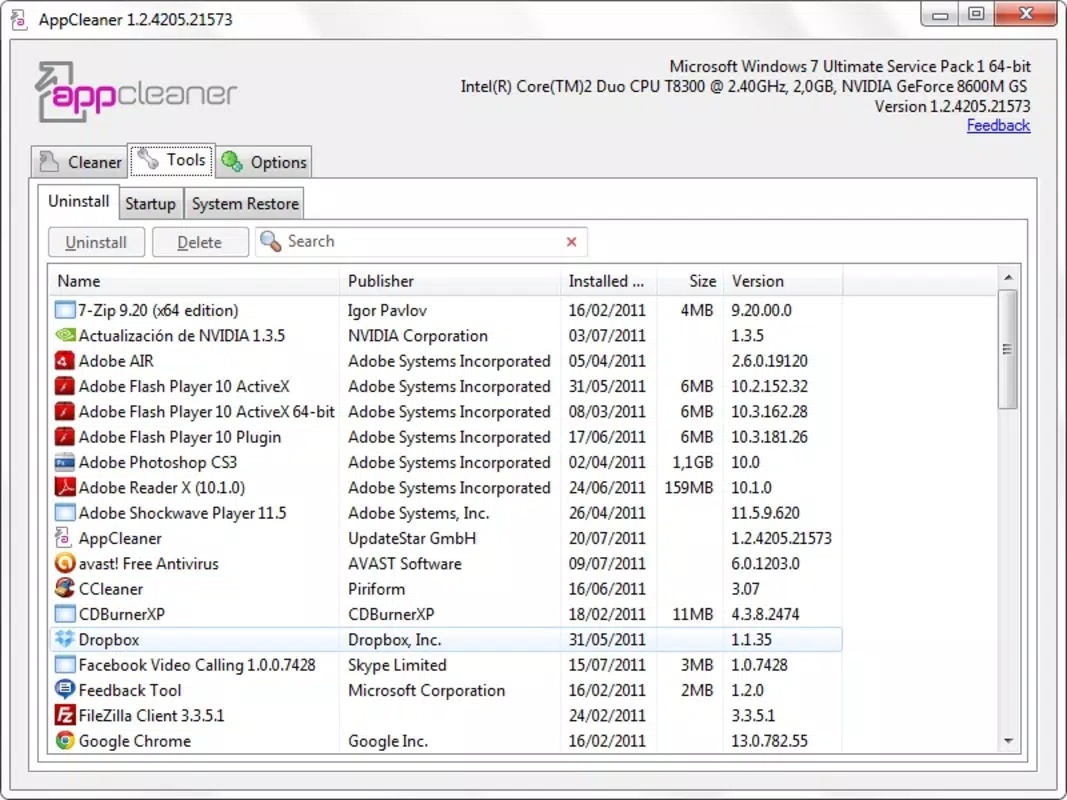
- Uninstall System Programs: Allows users to remove built-in or pre-installed software that may consume resources or storage without providing value. This feature is particularly helpful for managing bloatware on new or refurbished PCs.
- User-Friendly Interface: Organized into clearly labeled tabs, the interface enables quick access to tools for applications, browser data, registry, and Windows files. This layout supports intuitive navigation, reducing the learning curve for novice users.
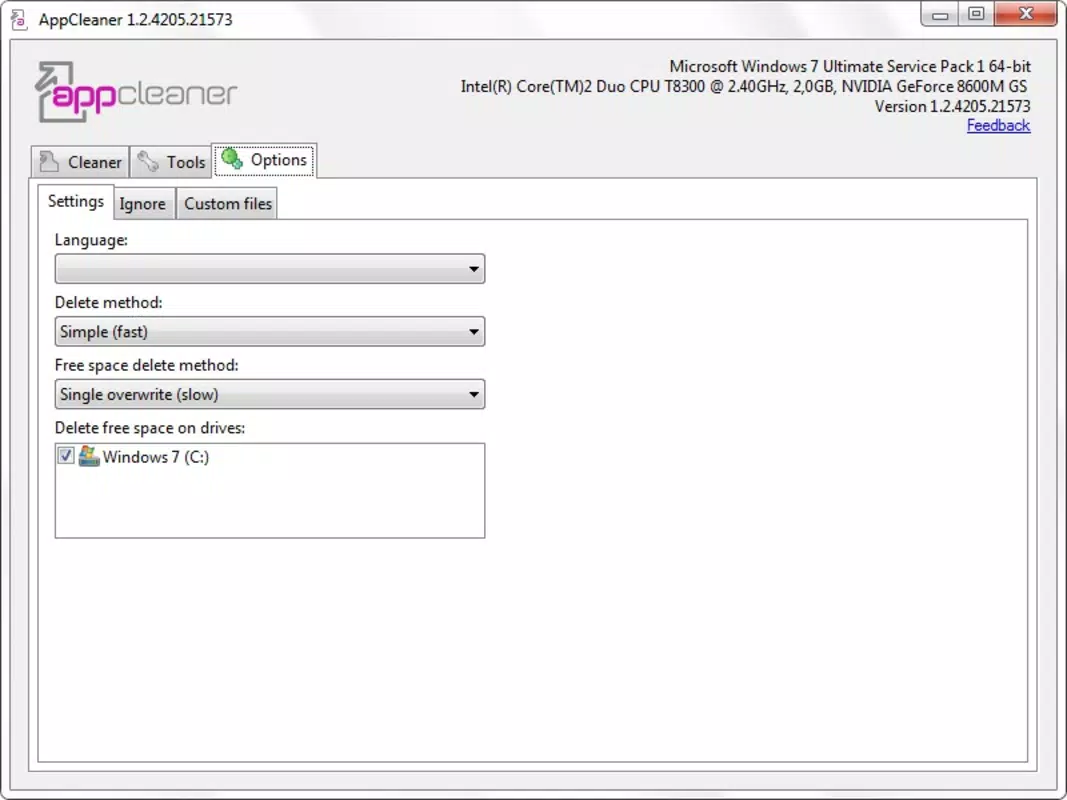
- Restore Point Management: Enables users to create or manage system restore points before performing major cleanup operations. This adds a safety net, allowing users to revert changes if unexpected issues arise.
For example, a user with a 128GB SSD experiencing low storage might use the disk space management feature to remove months of temporary files, instantly freeing up several gigabytes. Similarly, a user encountering frequent crashes could benefit from the registry cleaner to eliminate outdated references that may be affecting system performance.
Interface, UX & Performance
The user interface of UpdateStar AppCleaner is structured around a tab-based layout, which enhances usability by grouping related functions into distinct sections. This design supports a logical workflow, allowing users to navigate between disk cleanup, registry scanning, and program uninstallation without confusion.
Visual elements are minimal and functional, prioritizing clarity over decorative design. The layout is consistent across all tabs, contributing to a predictable user experience. Navigation is straightforward, with clear labels and action buttons that guide users through each step of the cleanup process.
Although the developer did not list formal performance metrics, the application appears to operate efficiently on a range of Windows systems. It does not appear to consume excessive CPU or memory during scans or cleanups, suggesting optimized resource usage. Responsiveness is consistent across different device categories, including older machines with limited hardware.
Stability has been maintained over the app’s lifespan, with no widespread reports of crashes or data loss. However, users are advised to always create a restore point before initiating major cleanup tasks, as system changes can sometimes affect software behavior.
Platform Compatibility & Technical Requirements
UpdateStar AppCleaner is designed for the Windows operating system. The application is compatible with Windows platforms, though specific version requirements were not listed by the developer. It is distributed as a standalone executable file, which does not require installation in the traditional sense.
The file size of the application is not specified in the provided data. Users should expect a lightweight footprint, typical of system utilities, but exact dimensions are unavailable. The app was first released on March 5, 2013, indicating long-term support and refinement through multiple iterations.
Compatibility information was not fully disclosed. Users are advised to verify system requirements before running the application, especially on newer or older Windows versions.
Pros and Cons
Pros
- Free to download and use without hidden costs or subscriptions.
- Intuitive tab-based interface simplifies access to core maintenance tools.
- Offers essential system optimization features like disk cleanup and registry scanning.
- Includes restore point management for safe system changes.
- Designed for users with minimal technical expertise seeking straightforward PC maintenance.
Cons
- Developer did not provide specific system requirements or compatibility details.
- File size and exact version number were not disclosed.
- Does not include real-time monitoring or automated scheduling features.
- May not support the latest Windows updates or newer system architectures.
- Limited feedback on performance impact on high-end systems.
FAQ
Is UpdateStar AppCleaner safe to use?
Yes, the application is designed to clean temporary files and registry entries safely. However, users are advised to create a system restore point before performing major operations to prevent unintended changes.
Can I use UpdateStar AppCleaner on Windows 11?
While the app has been available since 2013, specific compatibility with Windows 11 was not confirmed. Users should test the application on their system to ensure functionality.
Does UpdateStar AppCleaner require installation?
The application is distributed as a standalone executable. It does not require a traditional installation process and can be run directly from the downloaded file.
How often should I run UpdateStar AppCleaner?
Users can run the tool as needed, especially when experiencing slow performance or low disk space. A monthly cleanup is generally sufficient for most users.
Can I recover files after they are deleted by UpdateStar AppCleaner?
Deleted temporary files cannot be recovered through the app. However, if a system restore point was created prior to cleanup, users can revert to a previous state to recover lost data.
Final Thoughts
UpdateStar AppCleaner remains a reliable, no-cost solution for users seeking to maintain their Windows systems with minimal effort. Its focus on core maintenance tasks—disk cleanup, registry optimization, and program removal—makes it a practical tool for everyday PC hygiene. While it lacks advanced automation and modern features, its simplicity and safety-focused design appeal to users who value control and transparency.
For individuals managing older or low-storage devices, this utility offers tangible benefits without the complexity of enterprise-grade tools. Its long-standing presence in the software ecosystem speaks to its stability and continued relevance.
Download UpdateStar AppCleaner now


